




Events
Ranking



 4 |

|
Minions Hero 20 Albert. |
0
EXP |
|---|---|---|---|
 5 |
|
Solo Hero 20 iamato |
0
EXP |
 6 |
|
Kalashnikov Hero 20 Drgan |
0
EXP |
|
7
|
|
Goddes Hero 20 Artemis |
0
EXP |

Download



Client size: 5.9 GB
To install the game, you need to download WinRar
Minimum System Requirements
Operating System
Windows 7 or higher (64-bit)
64-bit operating system requiredMemory
Minimum 2 GB RAM
Storage
Minimum 8 GB available disk space
Graphics
DirectX 11 compatible graphics card
FAQ
2. Start Rodnia Patcher.exe. It checks the game files and downloads the missing ones.
3. When it shows READY TO PLAY, press PLAY.
If you downloaded only Rodnia Patcher.exe, put it in an empty folder and start it: it downloads the whole game for you.
To keep your settings, copy metin2.cfg, rodnia.cfg, lang.cfg and mouse.cfg from the old game folder into the Game folder of the new one, then delete the old folder.
→ Could not reach the update server / Download failed, check your connection
1. Check your internet connection.
2. Add Rodnia Patcher.exe to the Antivirus and Firewall exception list.
3. Press RETRY or start the patcher again, the download continues where it stopped.
→ No permission to write the game files
1. Your Antivirus may be blocking the patcher, add the game folder to the Antivirus exception list.
2. Do not install the game inside Program Files, move it to another folder or partition.
→ A game file is in use, close the game and try again
Close every open Rodnia window. If the error stays, end Rodnia.exe in Task Manager or restart your computer.
→ Not enough disk space
Free up at least 8 GB on the partition where the game is installed, or move the game to another partition.
→ Game executable not found
Rodnia.exe was deleted, usually by an Antivirus. Add the game folder to the Antivirus exception list and press VERIFY FILES in the patcher to download it again.
If Windows shows "Windows protected your PC", press "More info" and then "Run anyway".
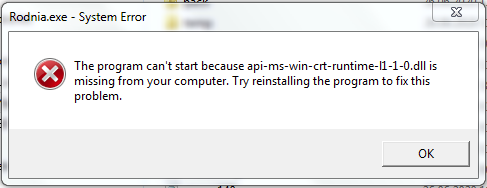 Download the Visual C++ Redistributable (x86), install it and restart your computer.
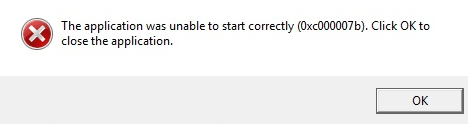 Install the Visual C++ Redistributable (x86) from the question above, then press VERIFY FILES in the patcher to repair the game files.
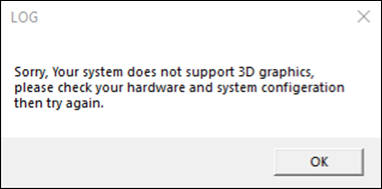
1. Change the game resolution from Config.exe, located inside the game folder.
2. Update your video card drivers & update DirectX.
2. Close the game, start Rodnia Patcher.exe and press VERIFY FILES to repair the game files.
3. Update your graphics card drivers.